My eReader Setup
XTEINK X4 - A Small, Focused E-Paper Device
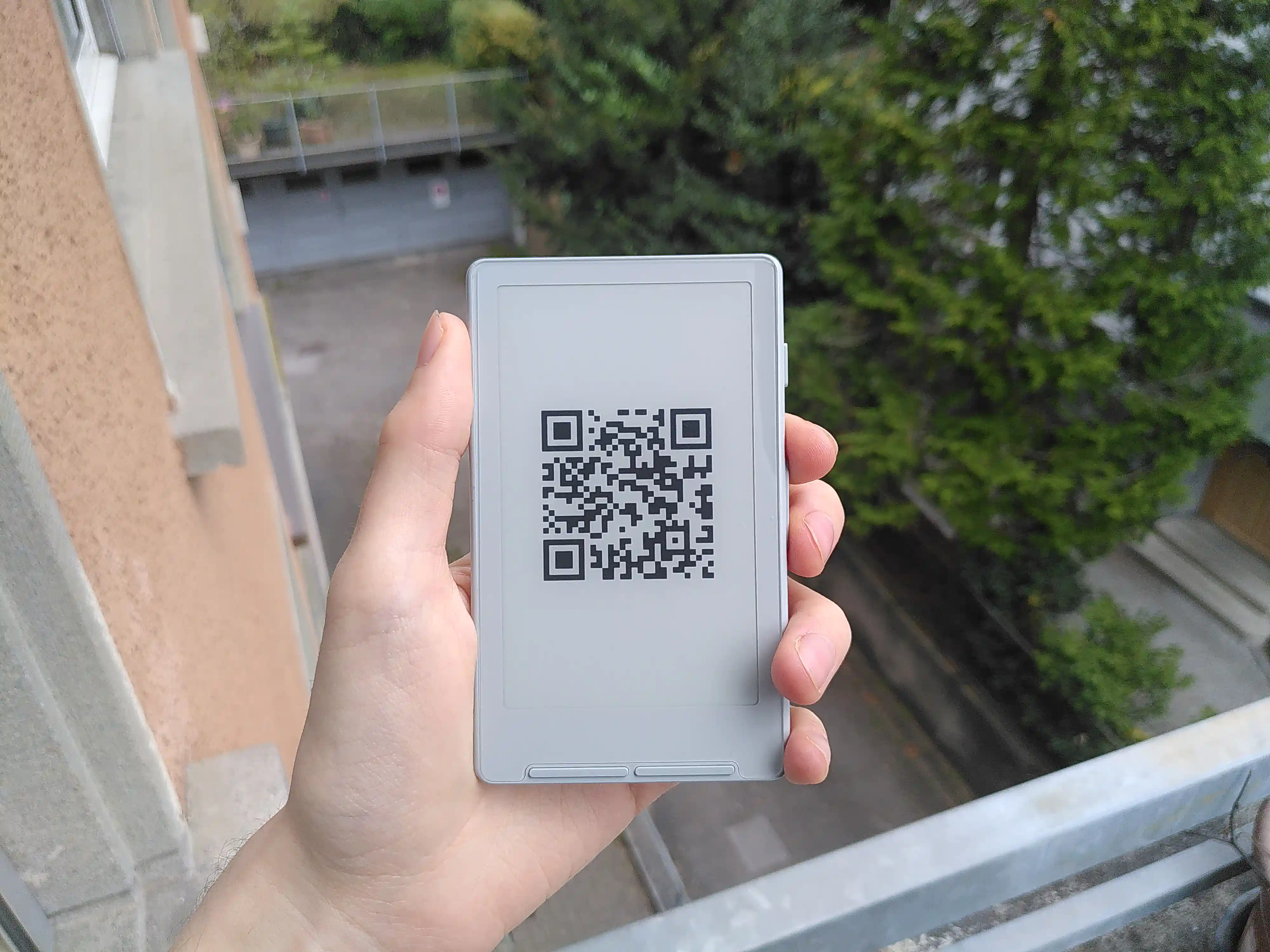
I have been using the XTEINK X4 for several weeks. The immediate reason for writing this blog post is pragmatic: when I use it as a QR-based “business card”, people reliably ask what the device is. Instead of repeating the same explanation, and mostly to entice people to take a look at my blog (don’t forget my LinkedIn), I decided to document it once and for all.
The Device in Brief
The XTEINK X4 is a small, dedicated e-paper reader. It has no touchscreen and relies entirely on physical buttons. The display is always-on, with the usual e-paper characteristics: high contrast in daylight and negligible power consumption for static content.
It is inexpensive relative to mainstream e-readers. It can be purchased either via AliExpress or through the manufacturer’s Western storefront. Generally speaking, it is cheaper to source it from AliExpress, but do be aware that the device will be shipped with Chinese-language firmware.
In my usage pattern, I obtain roughly 2-3 weeks of battery life per charge.
Interface and Physical Layout
Controls
The device has no touchscreen. Interaction is exclusively button-based.
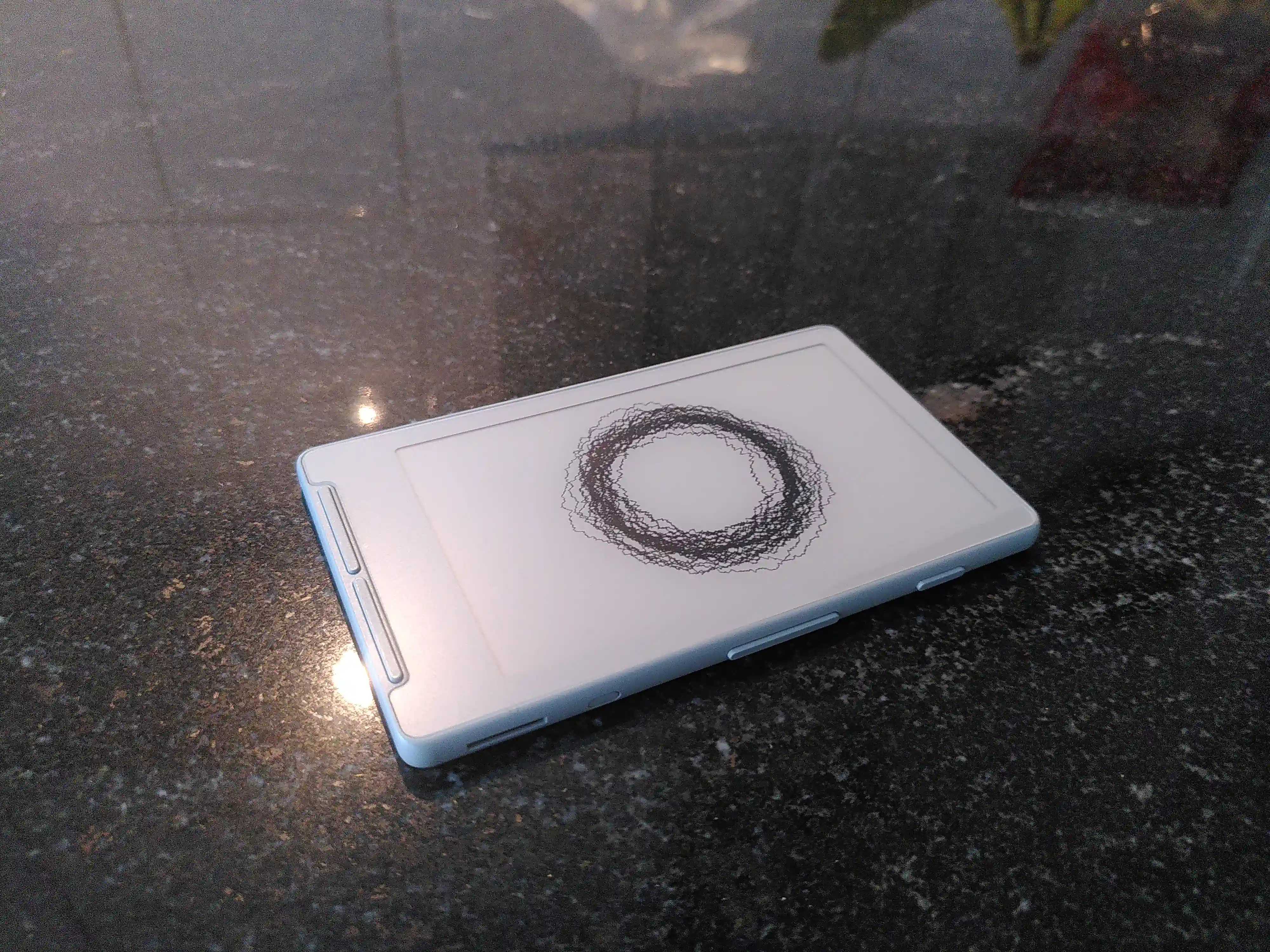
- Front: four buttons, arranged in two blocks.
- Sides: three buttons, arranged in two blocks.
Display
The e-paper panel is well suited to static or line-based content. It is highly legible in bright light. As expected, static images consume effectively no power; energy is primarily used during page refreshes.
Use Case I - A Persistent QR “Business Card”
The primary motivation for this post is that I use the device as a digital business card.
The screen displays a static QR code linking to my website. Because e-paper does not consume power while holding an image, the device can sit in this state for extended periods without measurable battery drain.
The workflow is straightforward:
- Generate a QR code pointing to the desired URL.
- Convert it into a compatible image format.
- Transfer it to the device (I employ it as a custom sleep screen).
In practice, this works well. It is more flexible than paper cards, since the target can be updated without reprinting anything. It is also a conversation starter in a way that a printed card is not.
Use Case II - Reading EPUBs
The X4 supports EPUB files natively. I use it primarily for:
- Technical notes.
- Papers.
- Books without heavy graphical content.
Navigation is button-based. The experience is linear and uncluttered by construction. There are no notifications, no overlays, and no multi-application switching.
As with most small e-paper devices, it is not well suited for graph-heavy PDFs or layout-sensitive documents. For text-centric material, however, it is entirely adequate and pleasurable to use.
Use Case III - News via Calibre and Crosspoint Firmware
I have set up the device to run the MIT-licensed CrossPoint firmware. One of the more useful consequences of this is seamless integration with the Calibre e-book software.
The workflow is as follows:
Use Calibre to crawl selected news sources.
Compile the fetched content into a EPUBs.
Transfer the resulting files to the device:
- Either via WiFi, or
- By mounting the internal SD card and copying the file directly.
The result is a daily, self-assembled newspaper. The CrossPoint plugin for Calibre additionally may perform file optimizations for the X4 before transferral. Don’t forget to check the IP and port options if the plugin isn’t working.
Battery Life
With my usage pattern — extended periods displaying a static QR code and intermittent reading sessions — I obtain approximately 2-3 weeks per charge.
Cost and Positioning
The XTEINK X4 is inexpensive compared to mainstream e-readers.
Be aware that it is not a tablet replacement. It is rather a small, focused device that performs a narrow set of tasks well: static display, linear reading, and file-based workflows.
I like the simplicity of it and it does its job well.